The unified AI creative studio

Campaigns, not prompts.

Create a cast of models that stay recognizably yours, teach the Studio your brand once, and turn every product drop into a full set of campaign shots. Photos, video, 3D and audio, all in one place.

No photoshoot. No agency. No generic AI look.

campaign / autumn-drop-01
Mara K. minted character Wool coat 04 product Golden hour street studio
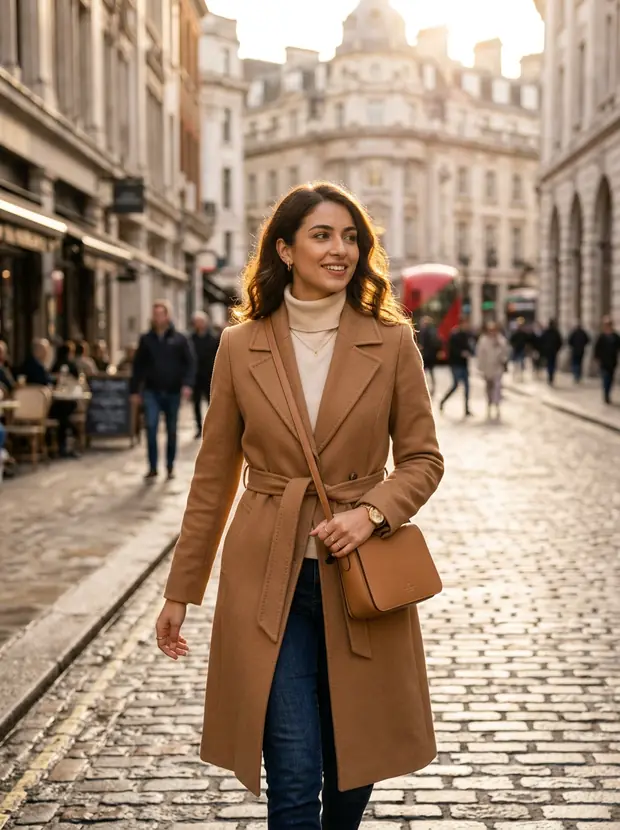
Campaign shot: model in a camel coat on a golden hour streetapprovedhero 3:4
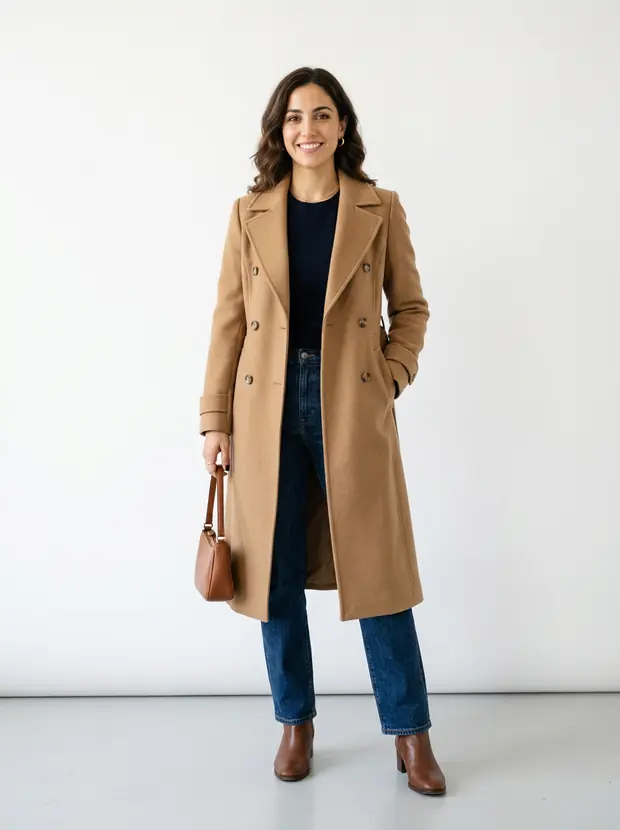
Campaign shot: model in a camel coat in a white studioapprovedstudio 3:4
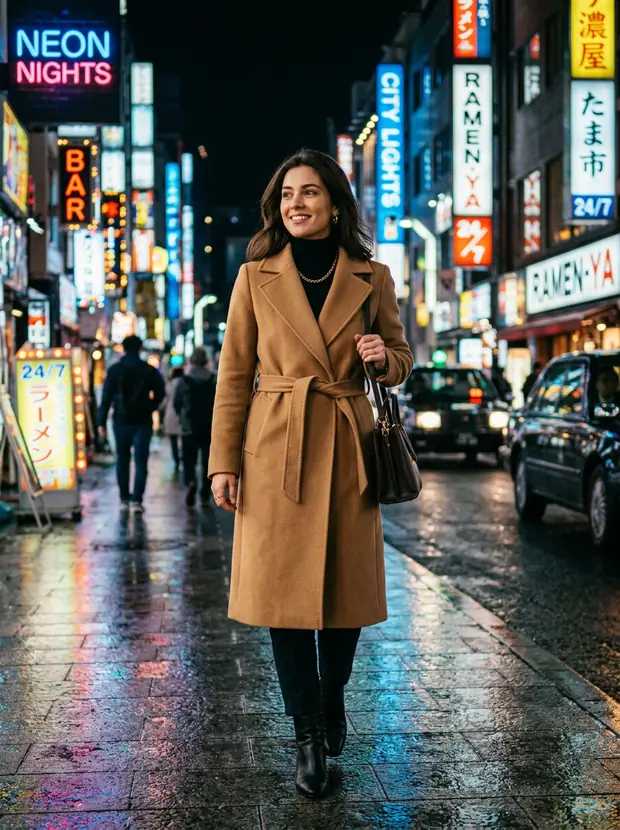
Campaign shot: model in a camel coat under neon night lightrenderingnight 3:4
Editorial portrait of the same model in a camel coatapprovededitorial
Campaign shot: model in a cafe locationrenderinglocation
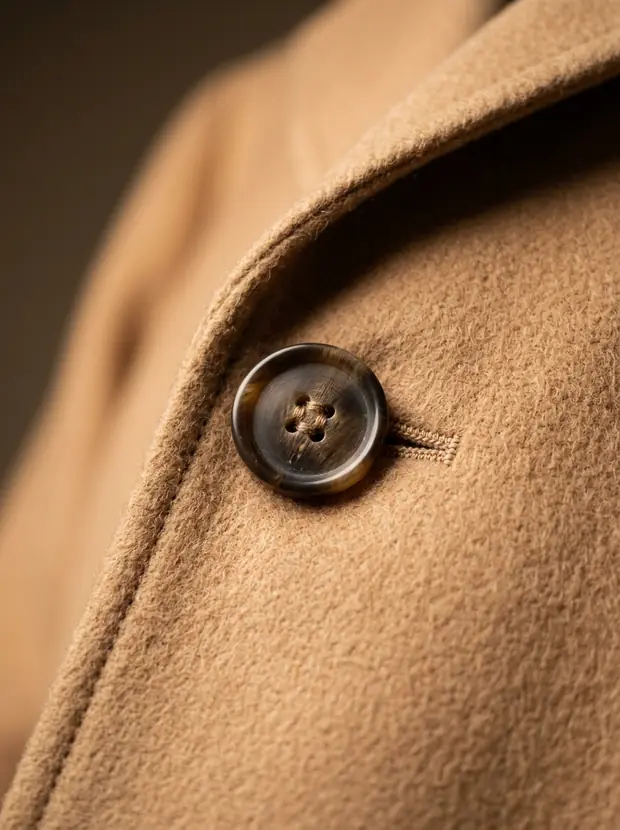
Detail shot of camel coat fabric and buttonsapproveddetail
12 shots · 2 scenarios · $1.84 spentApprove & animate
40+models
7providers
5modalities
10studio presets
1place for everything
Why teams switch

Anyone can generate an image. Consistency is the hard part.

Generic AI tools give you a different face, a different style and a different mood every time. Lumitra Studio remembers your brand and your cast, so shot 400 looks like it came from the same shoot as shot 1.

Your cast

Create a model once. Book them forever.

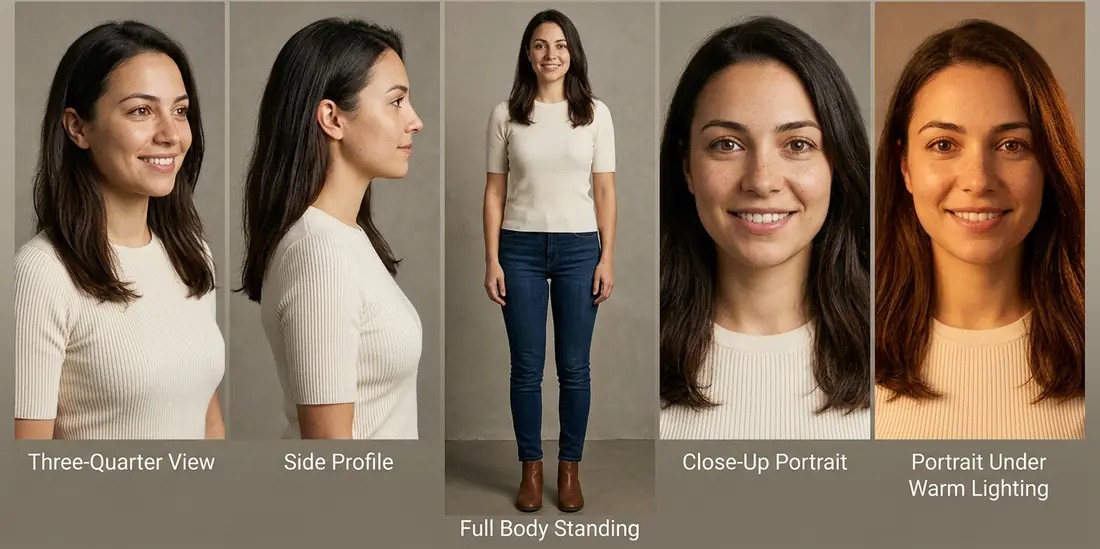
Design the face of your brand and the Studio remembers it. Every future photo, product shot and video features the same person, the way a real returning model would. No look-alikes, no drift.

  • Always the same face: your model stays recognizable across every photo and video
  • Restyle the whole cast: new outfits for a new season, in one pass
  • Yours to keep: your models are consistent, diverse and work only for you
Character sheet with five consistent views of the same model, generated in Lumitra Studio
character / mara-k · 5 viewsidentity frozen
Your brand

Teach it your brand once. It never forgets.

Upload your colors, your best photos and a few style notes. From then on, everything you create in the Studio matches them automatically. No prompting tricks, no style guide taped to a monitor.

  • On-brand by default: your colors and style are applied to every shot
  • Learns from your library: your best photos become the Studio's taste
  • One-click looks for social, marketing and product imagery
brand / your-label
#E5B04C #1C2A3C #F2EEE6 style.md injected
Brand reference: amber glass still liferef 01
Brand reference: warm textilesref 02
Brand reference: warm interior lightref 03
Brand reference: ceramic cup on stoneref 04
modes: social · marketing · character · illustration
Workflows

Recipes you can see, save and re-run.

Chain steps into repeatable recipes on a visual canvas: product photo to 3D model, model to video. Save the setup, re-run it next season with new products, and see what every run cost.

  • Ready-made recipes for product heroes, character sheets and video
  • Re-run last season's setup with this season's products
  • Every run shows its cost, down to the cent
inputProduct image
studio3dImage to mesh
texturePBR texture
presetMarble luxury
kling 2.5Image to video
Ready-made sets

Ten sets, already dressed and lit.

Every set comes art-directed: the light, the mood and the location are already decided. Choose where your product shows up, the Studio handles the rest. Or let it build a set from your brand.

How it works

From nothing to a reviewed campaign in four moves.

Create your cast

Pick a face you like and the Studio locks it in as a reusable model, with a full set of views.

Teach it your brand

Add your colors, your best photos and a few style notes. Everything from here on matches them.

Compose the campaign

Pick a model, the products and a set. The Studio plans the shots and renders the whole batch.

Review and ship

The best candidates float to the top. Approve your winners and turn them into video with one click.

The whole studio

Everything a creative team ships, in one place.

Chat studio

Describe the shot you want and refine it in conversation. From idea to 4K image, or video, in one thread.

Products & locations

Your products and real places live in the Studio, ready to drop into any shot with their details preserved.

Virtual try-on

Put any garment on any model without a reshoot. The clothing stays true to the real thing.

Shot review

Generate ten candidates, see the strongest first, approve your favorites. Quality control without the contact-sheet slog.

3D pipeline

Turn a product photo into a textured 3D model you can place in any scene, right next to your images and video.

Background removal

Clean cutouts of any product or photo in one click, ready to reuse anywhere.

Spend tracking

See what every image and video cost, as it happens. Budgets stay facts, not surprises.

Works with your tools

Everything you can click, your developers can automate through the API. It already powers production apps today.

Stills to motion

Approved shots flow straight into video: animate a still, or export the whole set for your edit.

Studio for agents

Hand the Studio to your agent. It asks before it spends.

Claude Code, Cursor or any Model Context Protocol (MCP) client gets the same Studio you click through: your characters, your brand, your workflows. Same credits, same prices, and the cost on the table before anything runs.

  • Mint a character that stays the sameOne description becomes a seven-view identity sheet: the face, the front, both sides at 45 and 90 degrees, and the back, plus one picture of all six angles. Frozen, then reused in every shot.
  • Brand-consistent images in batchesThe agent submits every prompt at once. Your brand's style and reference images are applied on our side, so shot 40 matches shot 1.
  • Replace a character in footageSwap the person in a still, then animate it. Said plainly: this regenerates the motion between frames, it doesn't preserve the original performance, and the agent tells you so before spending.
  • Author and run workflowsThe agent edits the same workflow you see on the canvas, step by step, without overwriting you. Authoring is free. Running is what costs.
claude code · lumitra-studio connected
You10 square product shots of the oat drink carton, in our brand.
studio_list_projects
1 project: default
Agent10 images on the default model. That's 0.64 USD from your credits (10 × 0.064), and at most 1.80 USD if the fallback provider has to render them. Go ahead?
YouGo.
studio_generate_image × 10 brandSlug: "oat-and-co", aspectRatio: "1:1"
studio_get_job × 10 until each one is done
10 succeeded
studio_get_usage
credits.usedTodayUsd 0.64 · balanceUsd 14.36
AgentDone, 10 images in the project "oat-and-co". They cost 0.64 USD, and 14.36 USD of your credits are left.

Claude Code

/plugin marketplace add marlinjai/lumitra-studio-plugin
/plugin install lumitra-studio@lumitra

Any MCP client, tools only

claude mcp add lumitra-studio -e LUMITRA_STUDIO_API_KEY="$LUMITRA_STUDIO_API_KEY" -- npx -y @marlinjai/studio-mcp

Needs Node.js 20 or newer, a company with Studio access (its owner or an admin enables it by opening the Studio and confirming it for the company) and an API key from auth.lumitra.co. The package is @marlinjai/studio-mcp on npm. The plugin is free.

The cost comes first

The agent states the estimate before a large batch or any video, and a workflow run can carry a cost cap that is checked before anything starts.

A hard stop at 10 USD

A run estimated at 10 USD or more is refused until a person confirms it. No run is created, nothing is spent.

Your daily limit holds

10 USD a day to begin with. Only an owner or admin can raise it, on the Billing page. An API key never can.

A refusal costs nothing

A request past your balance or limit is refused before anything is charged, with a sentence the agent passes on to you.

Install the plugin See the prices

One more guard: before any character is minted, the agent has to ask you to confirm it isn't a real person, or that the person gave you the rights. It can't answer that for you.

Under the hood

Built like infrastructure, not a toy.

The parts your legal and platform teams will ask about are already answered.

Legally safe output

Anything that ships to your customers runs on providers that legally stand behind their output. Internal drafts run on the cheapest capable model. The Studio knows the difference.

Your workspace stays yours

Every request is re-checked against your access, every time. Revoked access ends on the very next call, and no other team can ever see your work.

One pipeline for everything

Photos, video, 3D and audio all run through the same reliable pipeline, with automatic retries and a full history of every job.

Readable by design

Every color in the interface is automatically tested for readability. The Studio cannot ship an unreadable screen.

The catalog

40+ models. 7 providers. Zero lock-in.

New AI models ship every month. In the Studio, switching to a better one is a dropdown choice, not a migration: your brand and your cast carry over instantly.

Google Vertex AI Nano Banana Pro Gemini 3.1 Flash Imagen 4 fal.ai Nano Banana 2 FLUX 1.1 pro Kling 2.5 Turbo Pro Seedance 1.0 Pro FASHN try-on BiRefNet v2 KIE.ai Seedream V4 Suno V5 ElevenLabs Multilingual v2 Scribe v1 Studio 3D Tripo 3.1 Hunyuan 3.1 Trellis 2 OpenRouter Claude Sonnet 4.6
Start today

Your next campaign is a composition away.

Open the Studio, create your first model and render a full batch of shots before your next meeting. Or book a demo and we will set your brand up with you.